Admin Report
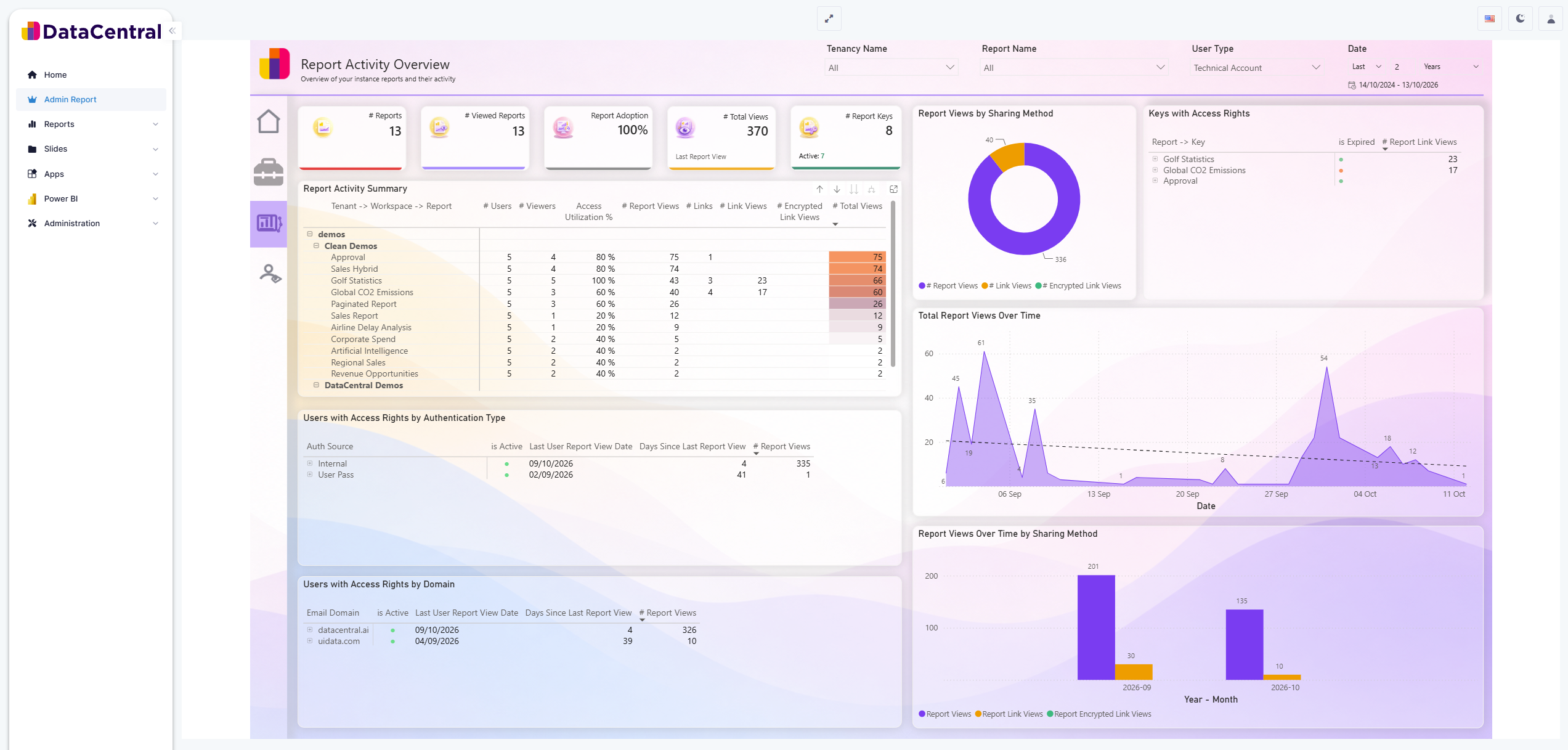
The built-in Admin Report gives administrators a centralized view of report activity, adoption, access rights, and usage trends. Its data is limited to the current DataCentral environment and tenant.
Availability in DataCentral 3.0.0
For tenants that existed before DataCentral 3.0.0, a Host Administrator must enable the Admin Report feature in the tenant settings. A Tenant Administrator must then grant the Admin Report permission to every role that should have access.
For tenants created in DataCentral 3.0.0 or later, the feature is available by default and the Admin Report permission is assigned to the tenant's static Admin role. Grant the permission to additional roles if other users should be able to view the report.
Enable the Admin Report for an existing tenant
The setup has two parts:
1. Enable the feature as a Host Administrator
- Sign in to the DataCentral host as a Host Administrator.
- Open Tenants.
- Edit the tenant that should receive the Admin Report.
- In the tenant's feature settings, enable Admin Report.
- Save the tenant settings.
2. Grant access as a Tenant Administrator
- Sign in to the tenant as a Tenant Administrator.
- Navigate to Administration > Roles.
- Edit the role that should be able to view the Admin Report.
- Add the Admin Report permission to the role.
- Save the role.
The following video demonstrates both parts of the setup. It has no audio; the on-screen labels identify when the steps are performed in the host and in the tenant.
Open the Admin Report
After an administrator grants access, users with an eligible role will see Admin Report in the main navigation. Select it to open the report.
If Admin Report is not visible:
- Ask a Host Administrator to confirm that the feature is enabled for the tenant.
- Ask a Tenant Administrator to confirm that your role includes the Admin Report permission.
- Sign out and sign in again after an administrator changes your access.
For more information about assigning permissions, see Roles and Permissions.