Release Notes
DataCentral 3.0.0
Released: October 13, 2026
DataCentral 3.0.0 introduces a built-in Admin Report, host-level management for Power BI content and tools, clearer row-level security diagnostics, and a range of administration and sign-in improvements.
Admin Report
The new built-in Admin Report provides a centralized overview of your DataCentral environment, with data scoped to the current environment and tenant. Access is configured in two steps:
- Enable the Admin Report feature for the tenant in the tenant settings.
- Within the tenant, grant the Admin Report permission to each role that should be able to view the report.
Tenants created before DataCentral 3.0.0 must be updated using both steps above. For tenants created in DataCentral 3.0.0 or later, the feature is available by default and the permission is assigned to the tenant's static Admin role.
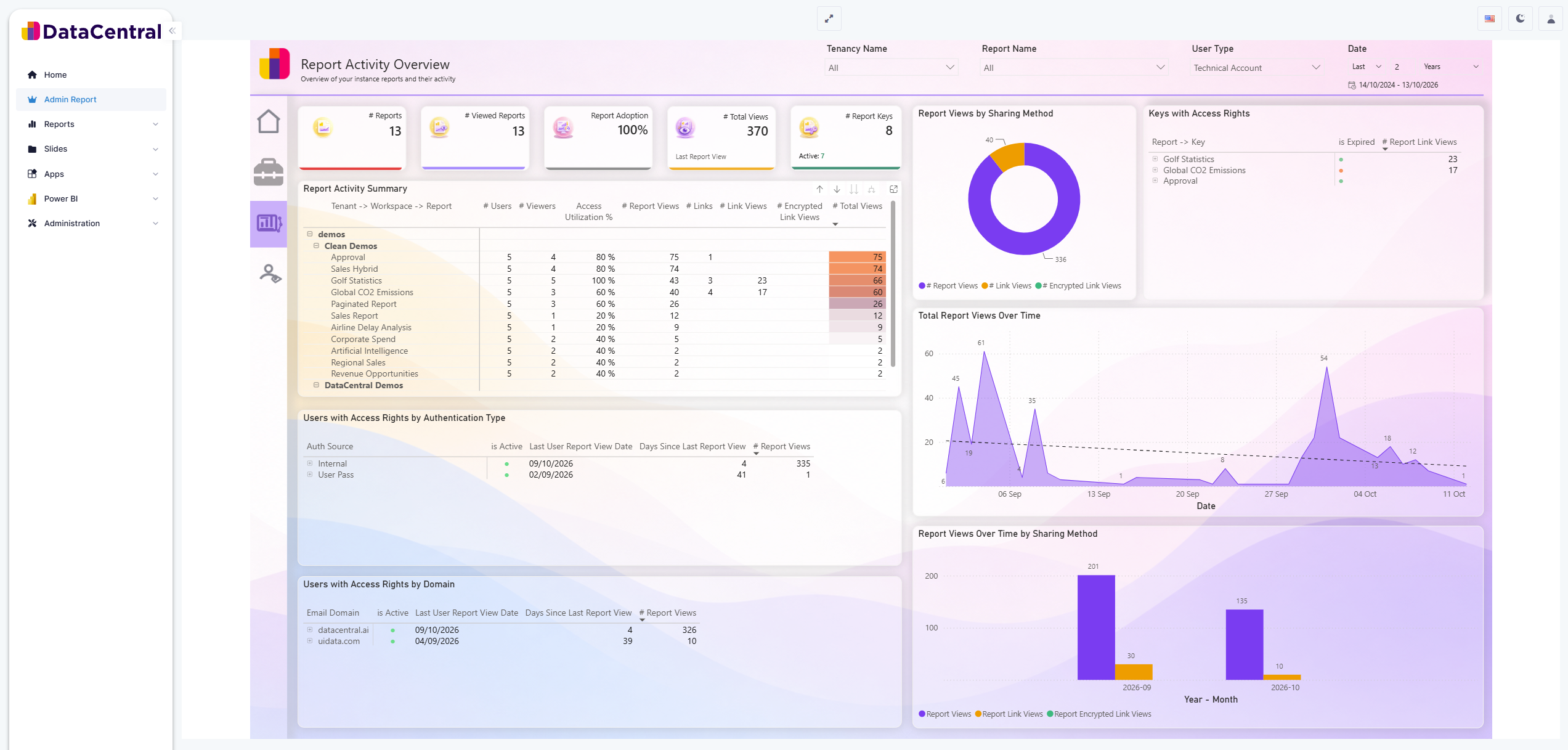
The Admin Report provides an overview of report activity and access across your DataCentral environment.
See Enable and access the Admin Report for complete setup instructions, troubleshooting, and a step-by-step video.
Host-Level Power BI Content and Tools
Hosts can now create and manage Power BI reports, workspaces, and tools in the same way as tenants. Hosts and tenants also share the same Home dashboard experience: pin a report to make it your start page.
Administrative permissions have been reorganized to support the shared host and tenant experience. Existing roles retain their access after the upgrade.
Row-Level Security Insights
When you create, edit, or view the details of a report, DataCentral now reads and displays the row-level security (RLS) roles defined in its dataset. This makes it easier to see which roles are available without leaving DataCentral.
DataCentral also compares the application roles assigned to the report with the dataset's RLS roles. Administrators see a warning when the assigned roles do not match any roles in the dataset.
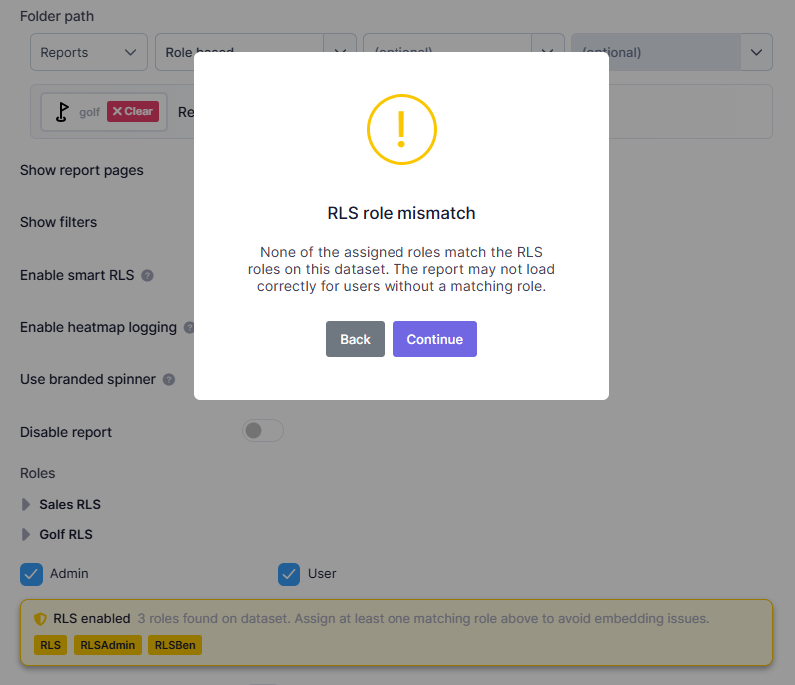
Administrators are warned about an RLS role mismatch before saving the report configuration.
If an RLS-protected report cannot load, the error message shows both the roles DataCentral sent and the roles the dataset expects. This makes missing or incorrect role assignments easier to identify and resolve.
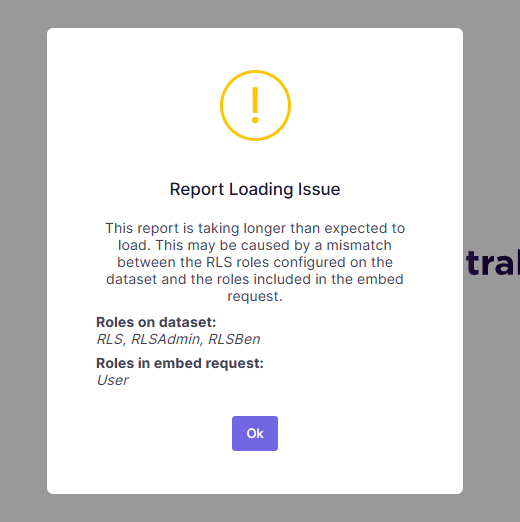
The loading message identifies the dataset roles and the roles sent with the embed request.
Administration and Sign-In Improvements
Administration lists for reports, tools, tasks, links, roles, and users now provide more context and faster navigation:
- Created and Last modified dates make it easier to track changes.
- Role filters help narrow the Reports, Tools, and Users lists.
- Reports and tools show their link counts; select a count to open the matching entries on the Links page.
- The Links page groups links by Power BI item or tool; select the item name to return to its filtered administration list.
- Roles show related user, Power BI item, and tool counts; select a count to open the corresponding list filtered to that role.
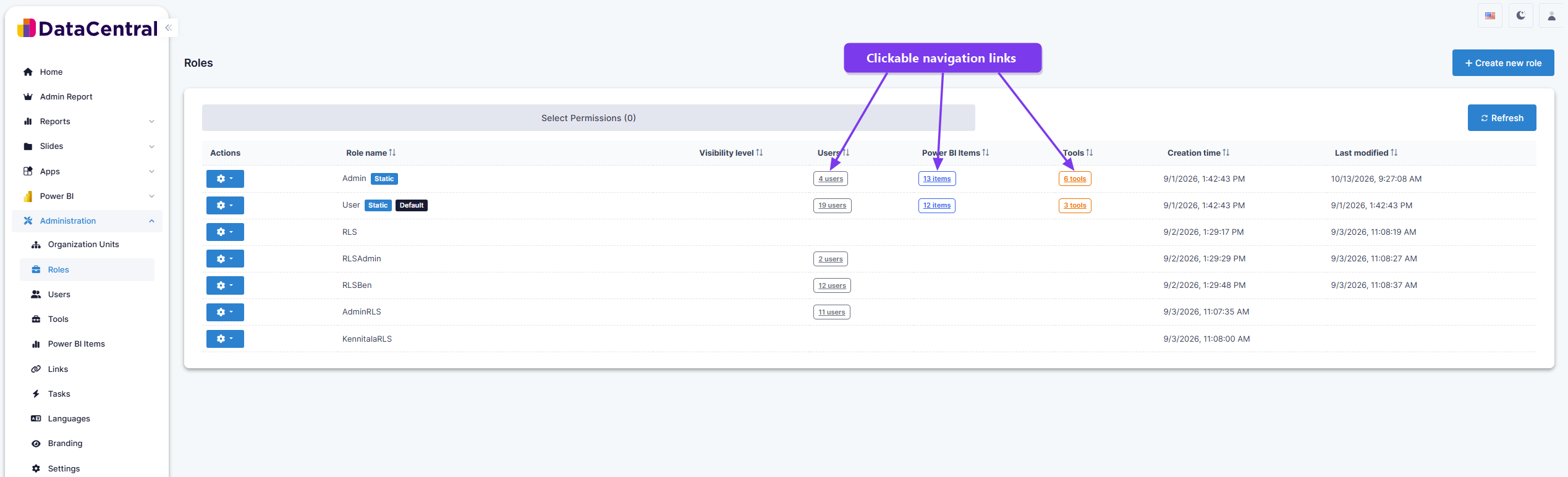
Select a related-item count to navigate directly to the associated users, Power BI items, or tools.
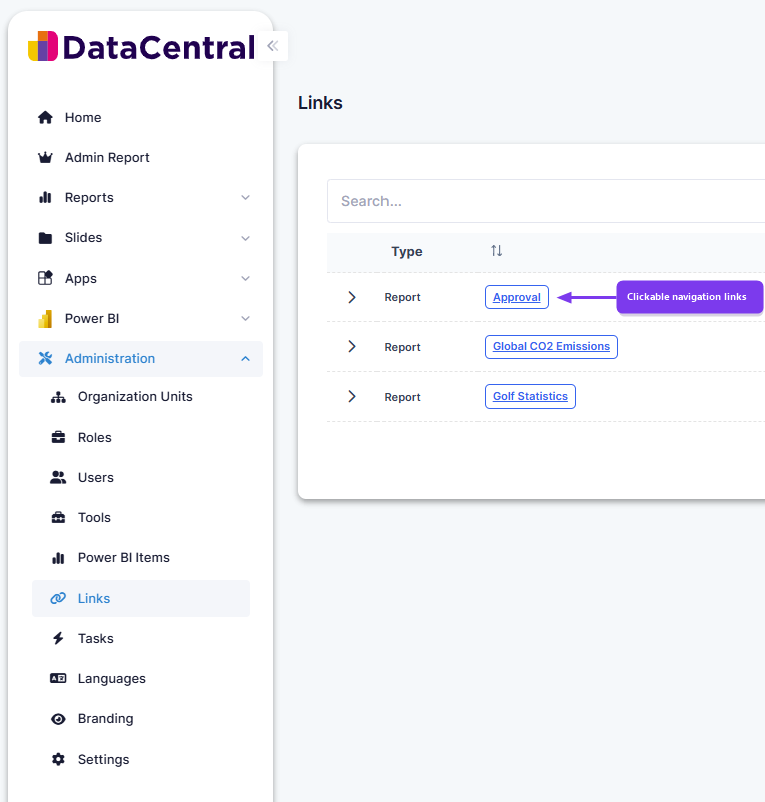
Select a linked item name to open its details directly.
-
Report details now indicate whether the Power BI workspace uses dedicated capacity.
-
A new Test configuration action lets administrators validate service principal credentials directly from host and tenant settings.
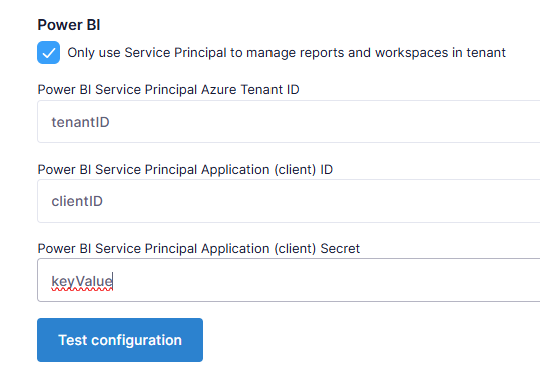
Validate the service principal configuration directly from the settings page.
-
When creating a tenant, Host Administrators can choose User Pass, one-time password, or Microsoft Entra ID as the initial Tenant Administrator's sign-in method.
-
One-time password emails have a clearer layout with an easy-to-copy login code.
-
Tenant Administrators now sign in with their email address. The legacy username
admincontinues to work for existing tenants for compatibility. -
Microsoft Entra ID users now sign out of DataCentral directly, without an additional Microsoft sign-out prompt.
-
User profiles now use a single name field; existing first and last names are combined during the upgrade.
Additional Improvements
- Dates and times are displayed automatically in each user's local time; manual time-zone configuration is no longer required.
- Saved host and tenant settings take effect immediately without a full page reload.
- Power BI, report-link, and service principal errors provide clearer explanations and next steps.
- If a Power BI access token repeatedly fails to renew, DataCentral signs the user out cleanly instead of leaving the report in a non-working state.
- The administrator-facing Audit Logs page has been removed. Audit data continues to be recorded in the background.
- DataCentral now uses semantic version numbers such as
3.0.0, displayed in the footer and on the login page.
Earlier Releases
Major Features
Item Links
Released: March 28, 2026
Report Keys and DAX Tasks have been consolidated into a new Administration section called Links. This unified interface allows you to create shareable links for your Power BI items and tools, export pages from your Power BI reports, and run DAX queries on your Power BI datasets. All links are shareable, reusable across multiple sessions, and include role-based access control for enhanced security.
One-Time Password Login
Released: March 25, 2026
New passwordless authentication option. Users can now log in using a temporary password sent via email for enhanced security and convenience.
Tools
Released: March 21, 2026
New feature enabling users to embed their own solutions within DataCentral. Organize with folders, customize with icons, and manage with full permission control.
API Key Authentication
Released: March 18, 2026
Full-featured API key system for programmatic access to DataCentral. Create API keys with multiple secrets, expiration dates, role-based permissions, and secret rotation capabilities.
Minor Features
Default Tenant Routing
Released: March 14, 2026
Access your primary tenant through a clean URL without the tenancy name. Set a default tenant to simplify access for users with prettier, more professional URLs.
DAX Queries on RLS Datasets
Released: March 11, 2026
DAX queries now work seamlessly with Row-Level Security enabled datasets, significantly expanding query capabilities.
Flexible Folder Structure & Icons
Released: March 7, 2026
Updated folder path creator and icon picker for Power BI items and tools. Place your items anywhere in the hierarchy with complete freedom and customize with thousands of icon options.
Custom Login Branding
Released: March 4, 2026
Select which logo appears on your login page, separate from the main application logo, for enhanced white-label capabilities.
Additional Improvements
- Entra ID security group synchronization
- Enhanced impersonation and token management
- Improved localization support
- Security enhancements and performance optimizations